Designing inclusive community resources.
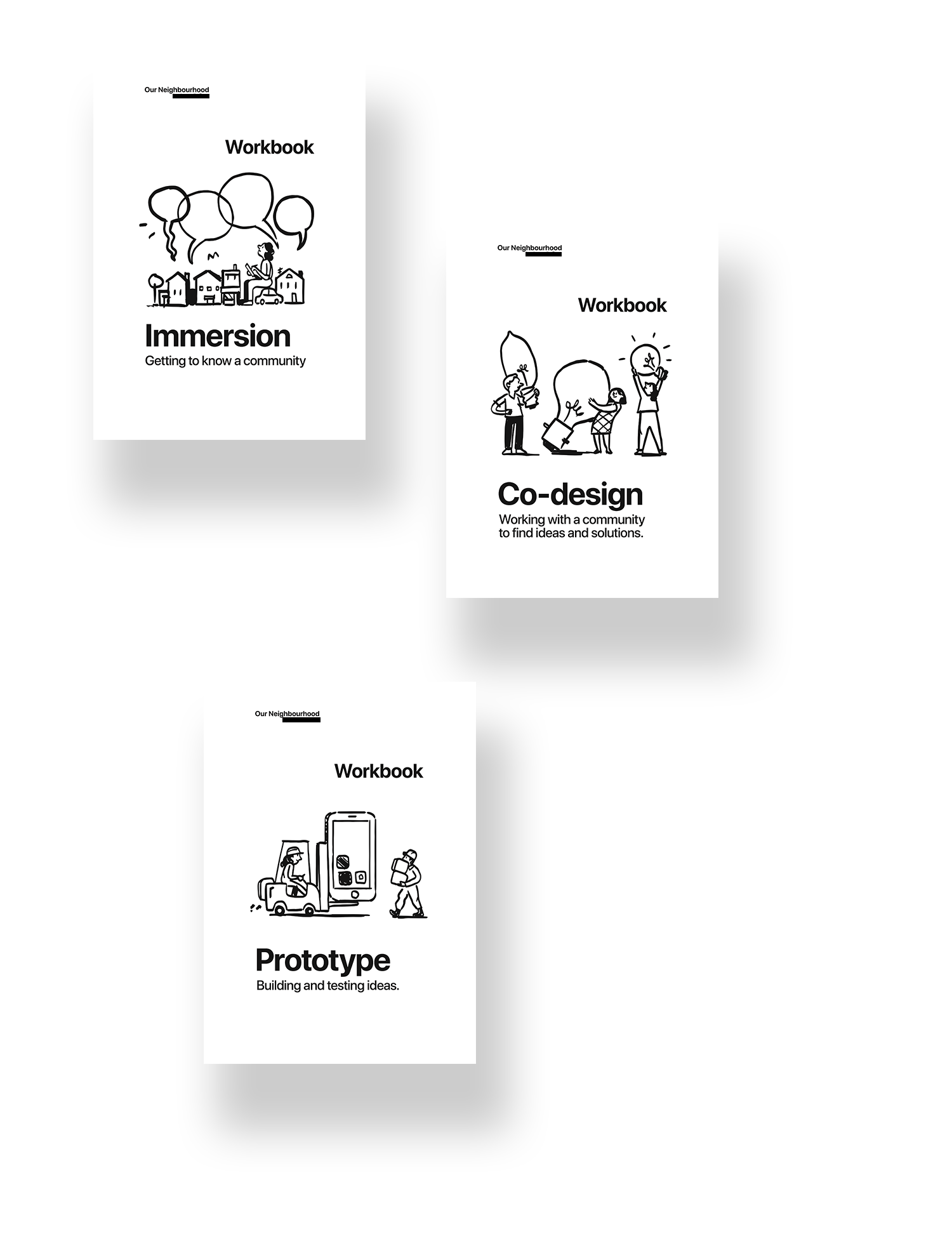
Cover of the three workbooks: Immersion, Co-design and Prototyping.
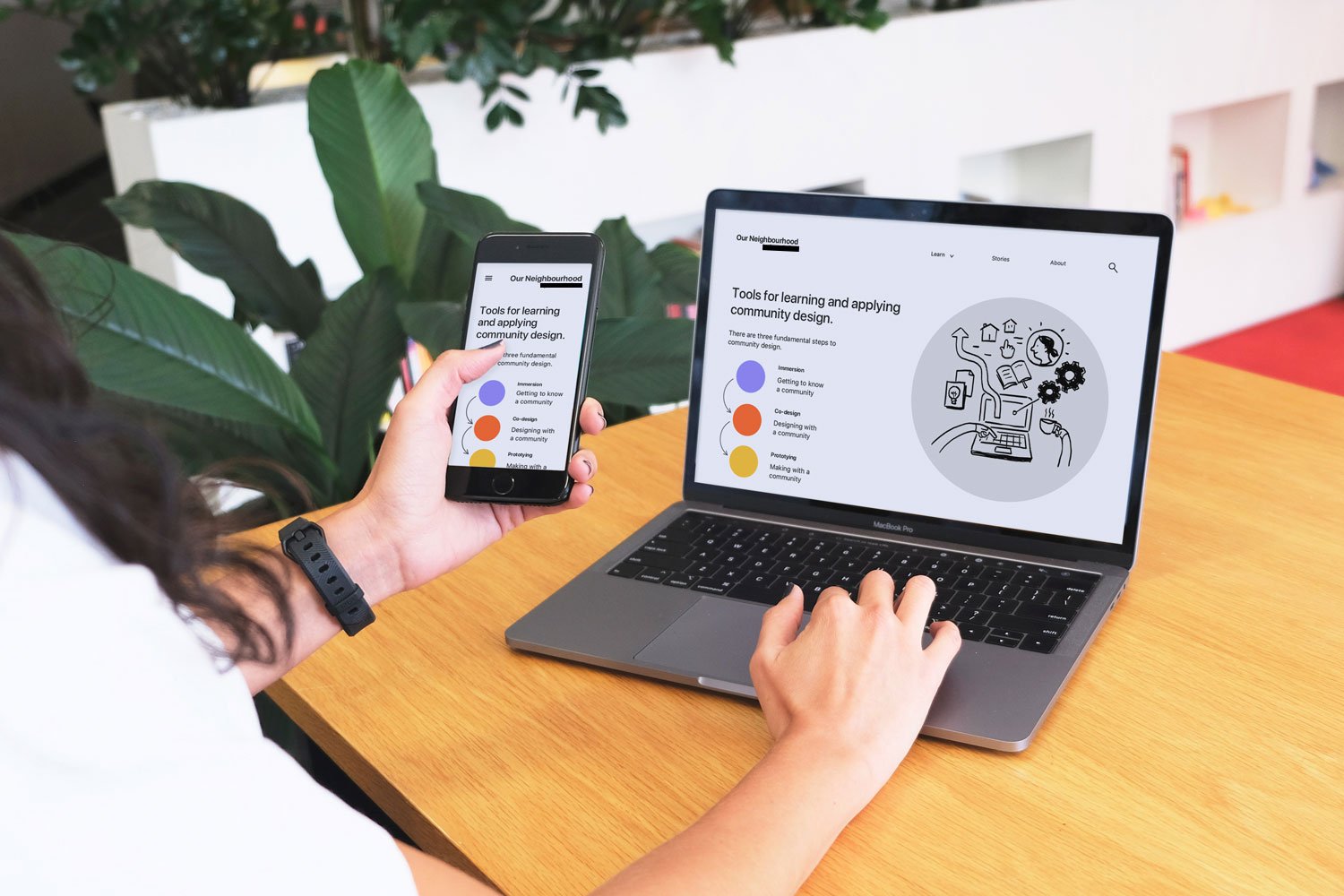
Image showing the home website screen for Our Neighbourhood. The process is broken into three phases: Immersion, Co-design and Prototyping.

MY ROLE

↬

Design research

▚

Content design

⎌

Interaction design

◳

UI design

OUTLINE

A client asked us to design a set of inclusive resources with the aim of strengthening the Community Design capability of local organisations and staff. We rapidly prototyped a curriculum and comprehensive set of resources, resulting in an initial business model and website.

Studio  /  Craig Walker
PROBLEM

Grassroots organisations often have tight budgets and limited resources. Not only this, they work with people who have diverse issues and diverse backgrounds. How could we share the Community Design process in a set of inclusive resources that strengthen communities?

GATHERING AND REFLECTION

We spent time gathering and reflecting on a previous project to map knowledge included in the resources. Design methods were coded into themes and three phases to the Community Design process identified.
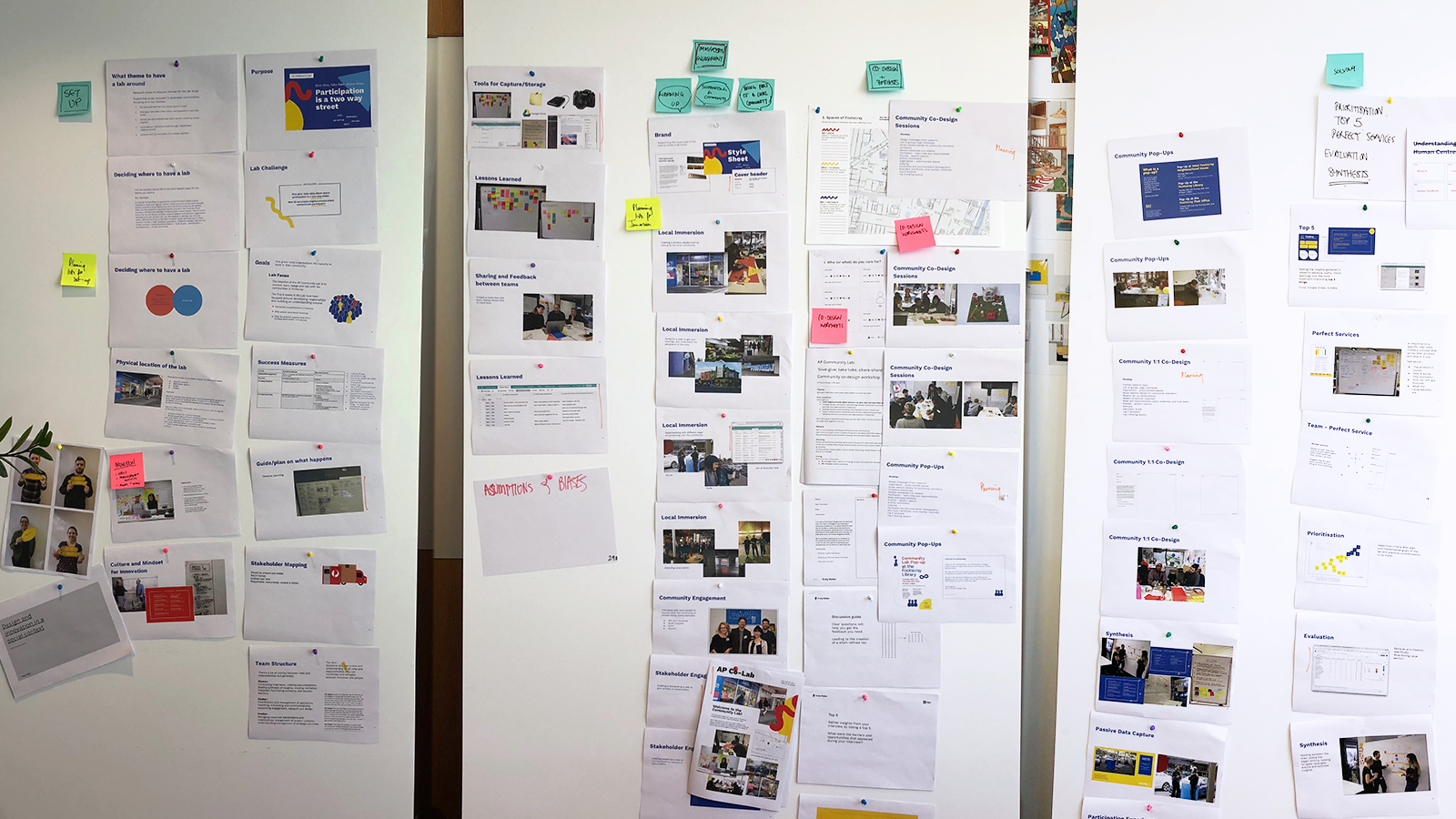
Toolkit-plan-2
Boards
CURRICULUM DESIGN

A curriculum was designed and tested it with grassroots organisations and the client's staff. We found that people were more conducive to learning whilst in a real-world class, benefitting from human connection with the facilitator and also building connections amongst one another.
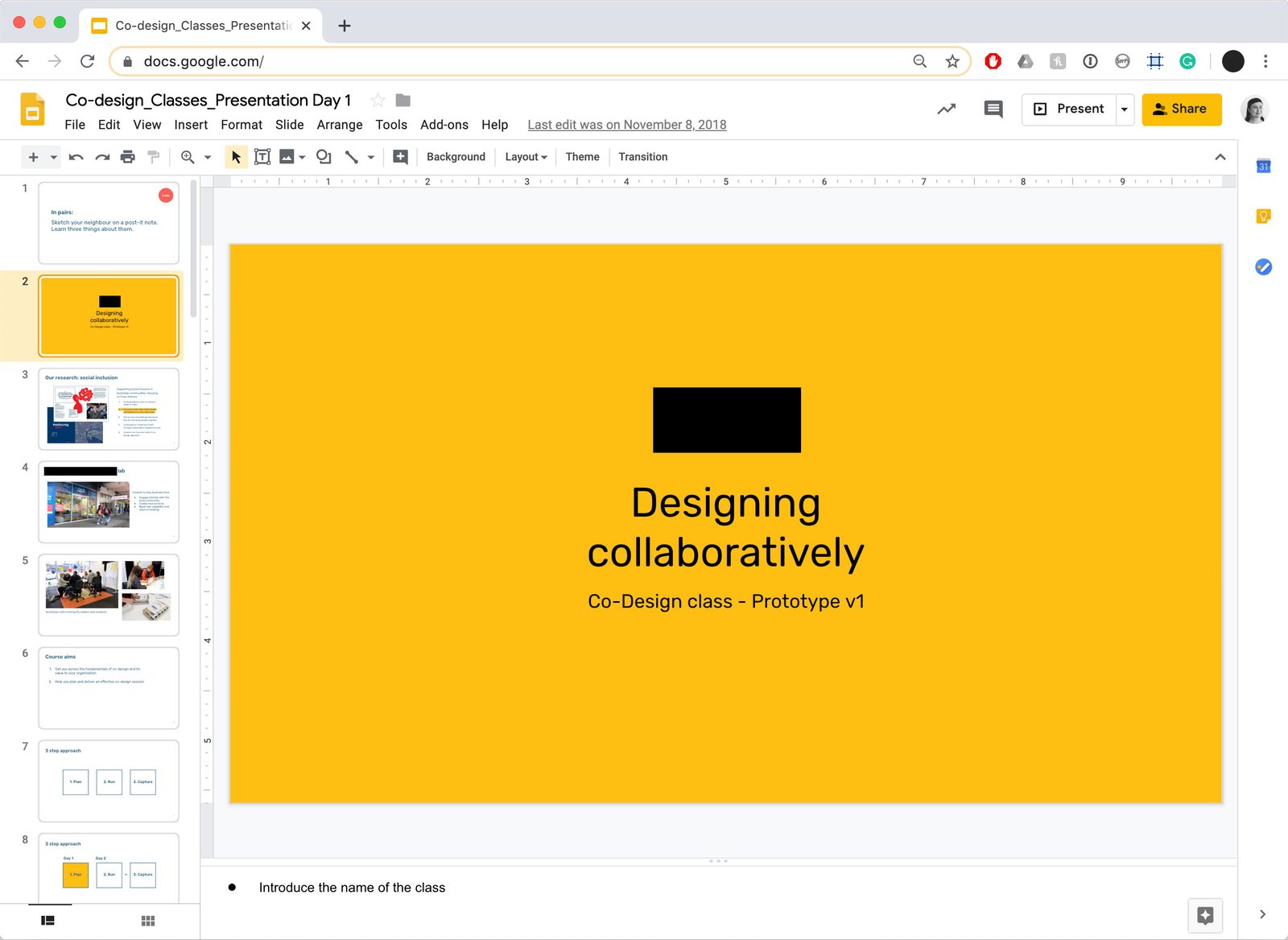
Image of the slide deck of one part of the curriculum 'Co-design' that was tested.
WORKBOOKS

A set of comprehensive workbooks covered the topics of Immersion, Co-design and Prototyping. These could be utilised during classes or as a self-guided resource available for download on the website.
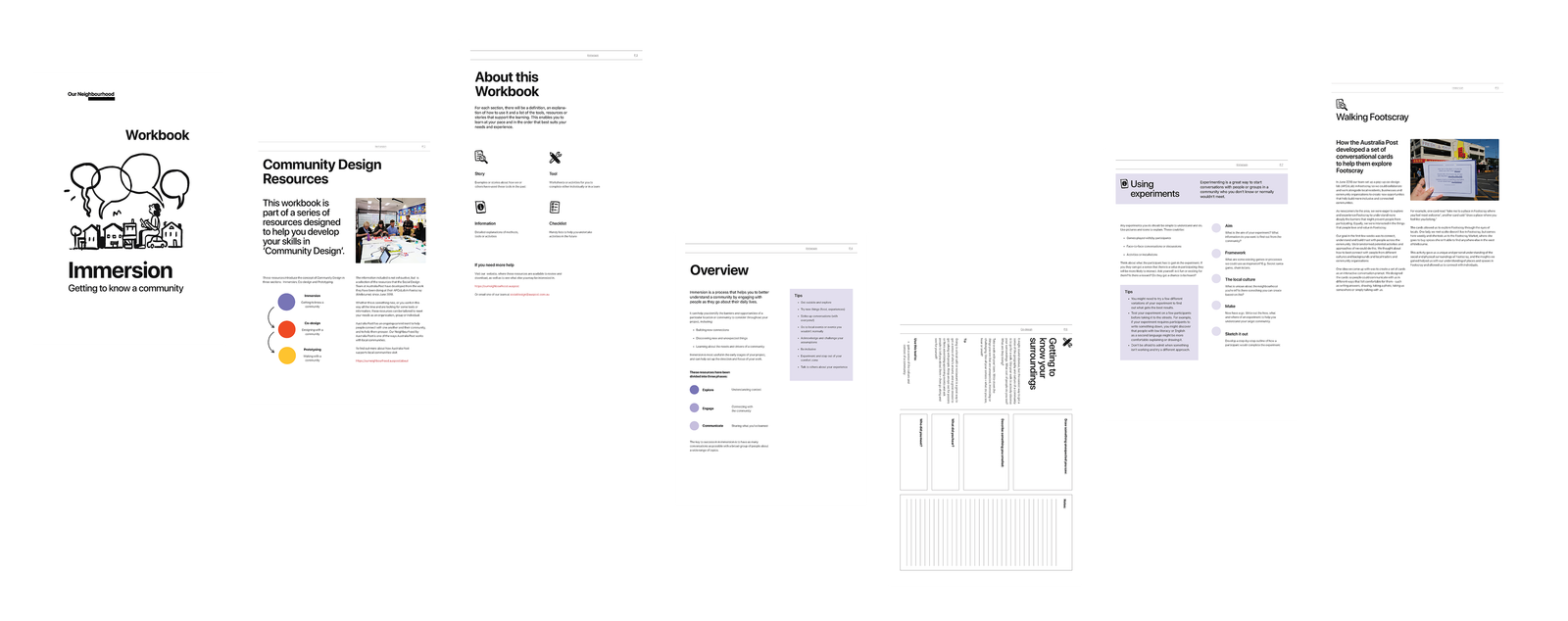
Image of seven pages of the Immersion workbook.
WEBSITE DESIGN

The website held the resources, informed the public of upcoming classes and shared information about how the project came to be. A user journey was developed to map the website pages needed.
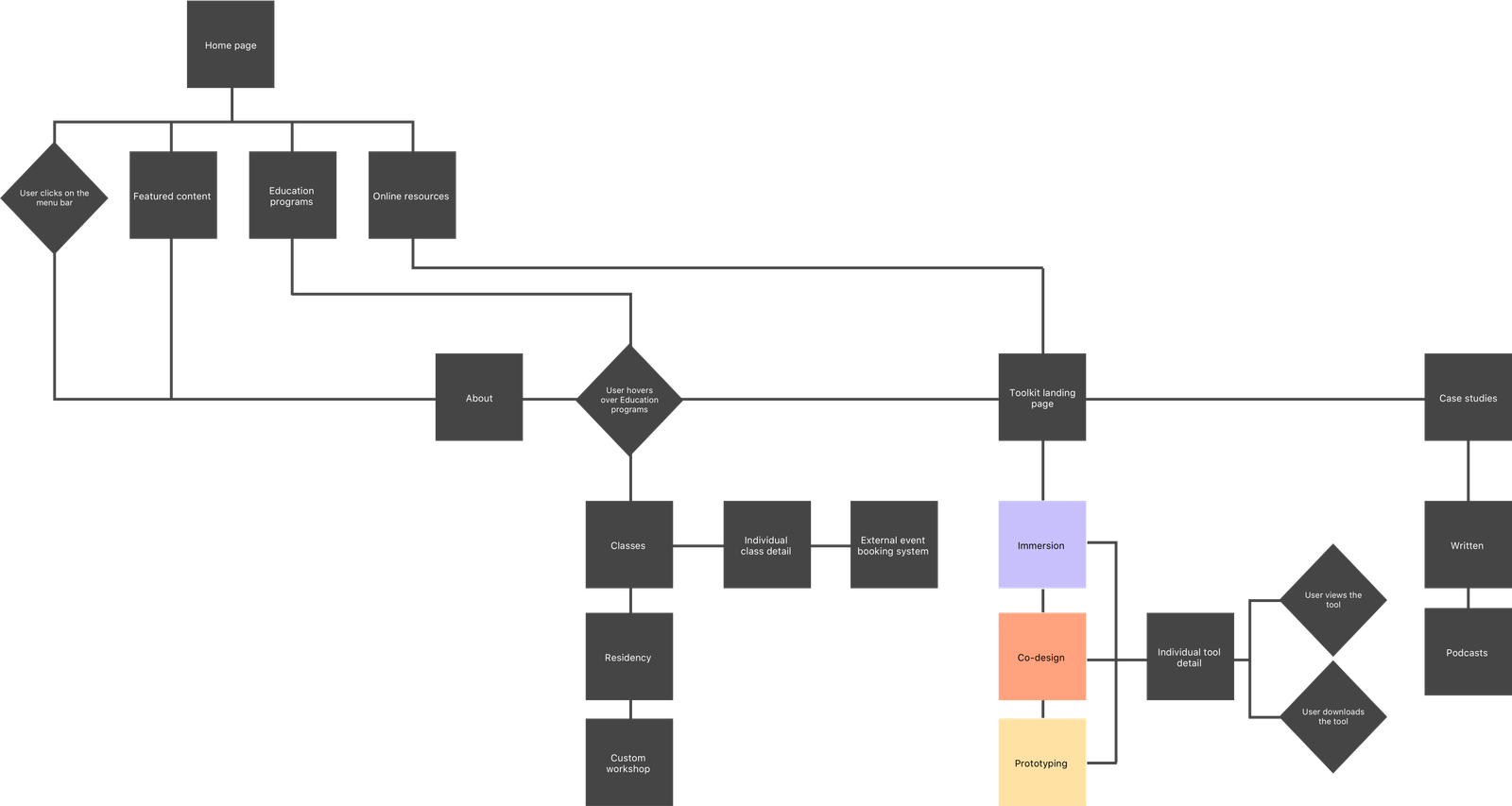
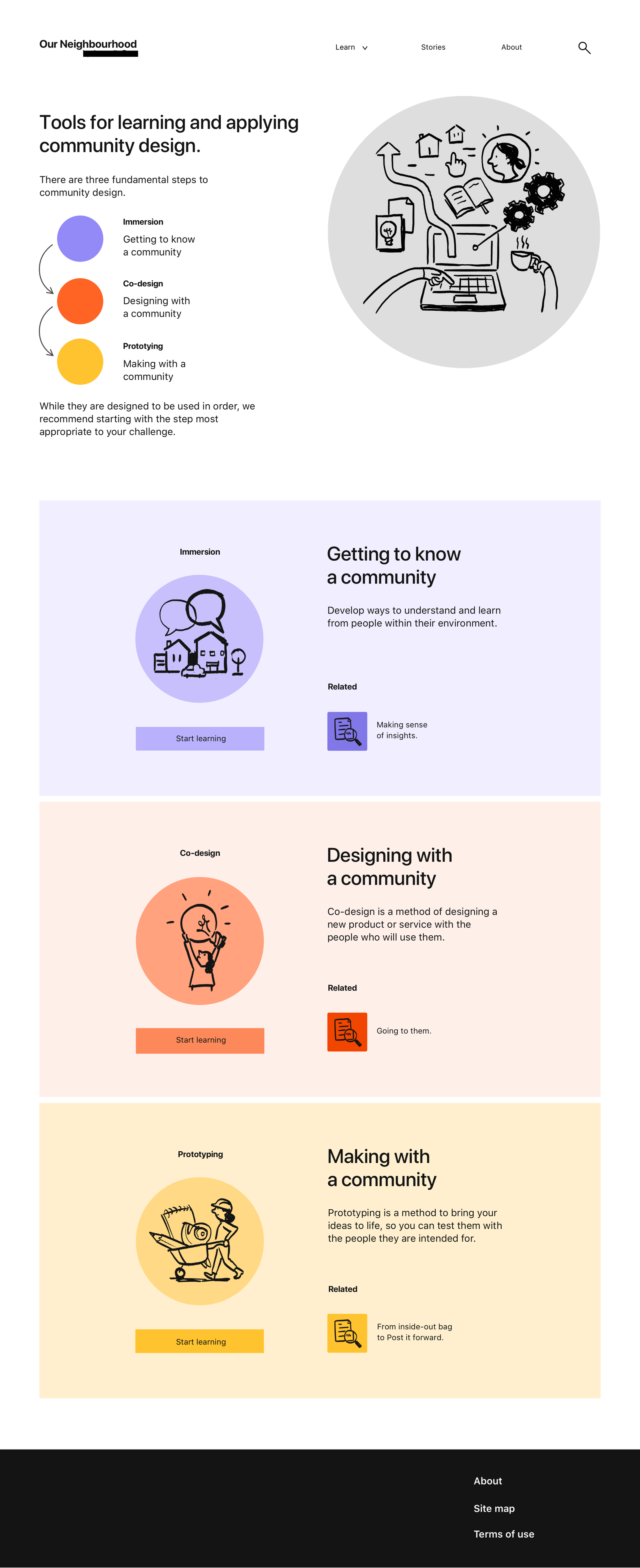
Image of a user flow for the Our Neighbourhood website
Image showing the home website screen for Our Neighbourhood. The process is broken into three phases: Immersion, Co-design and Prototyping.
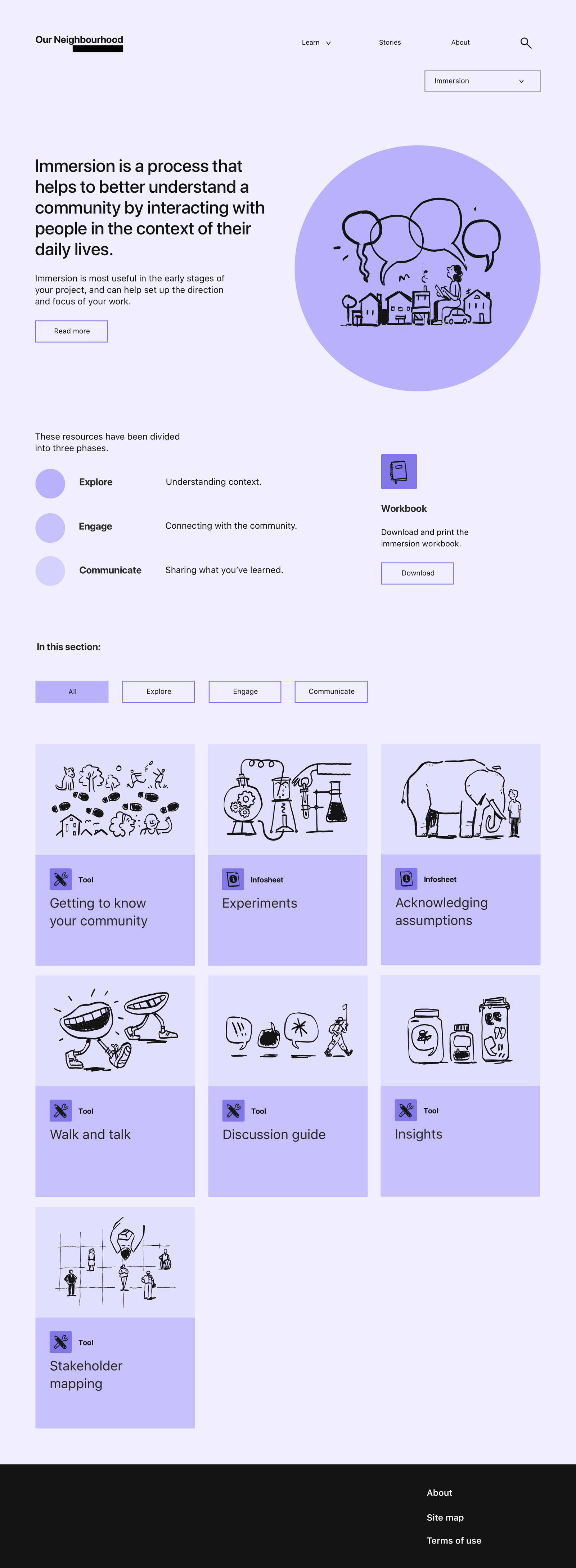
Image showing the Immersion website screen. There are several tools shown as a part of the Immersion process.
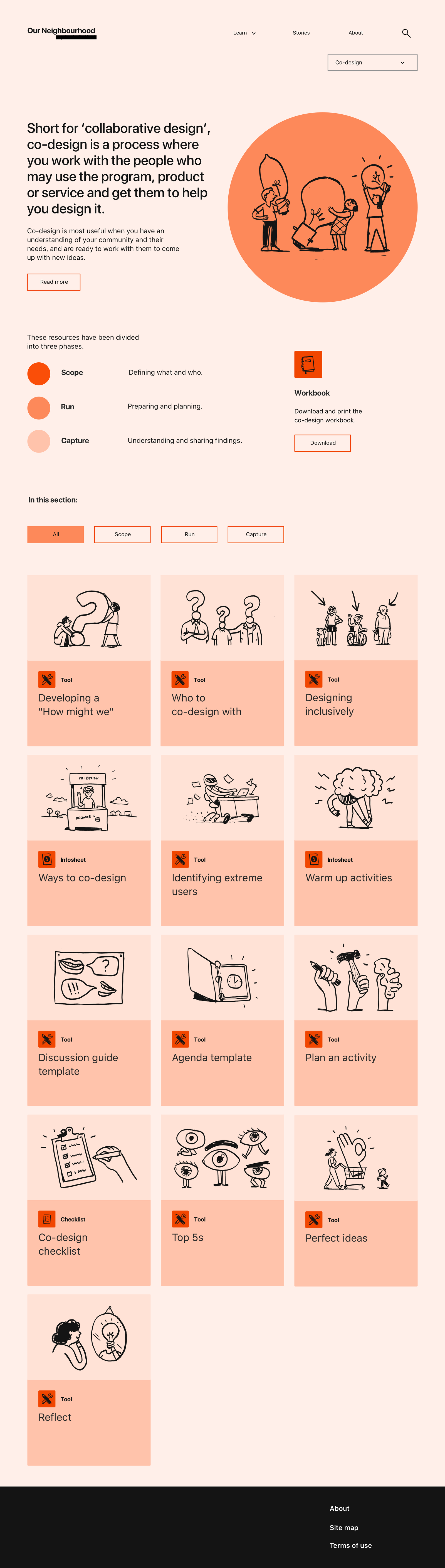
Image showing the Co-design website screen. There are several tools shown as a part of the Co-design process.
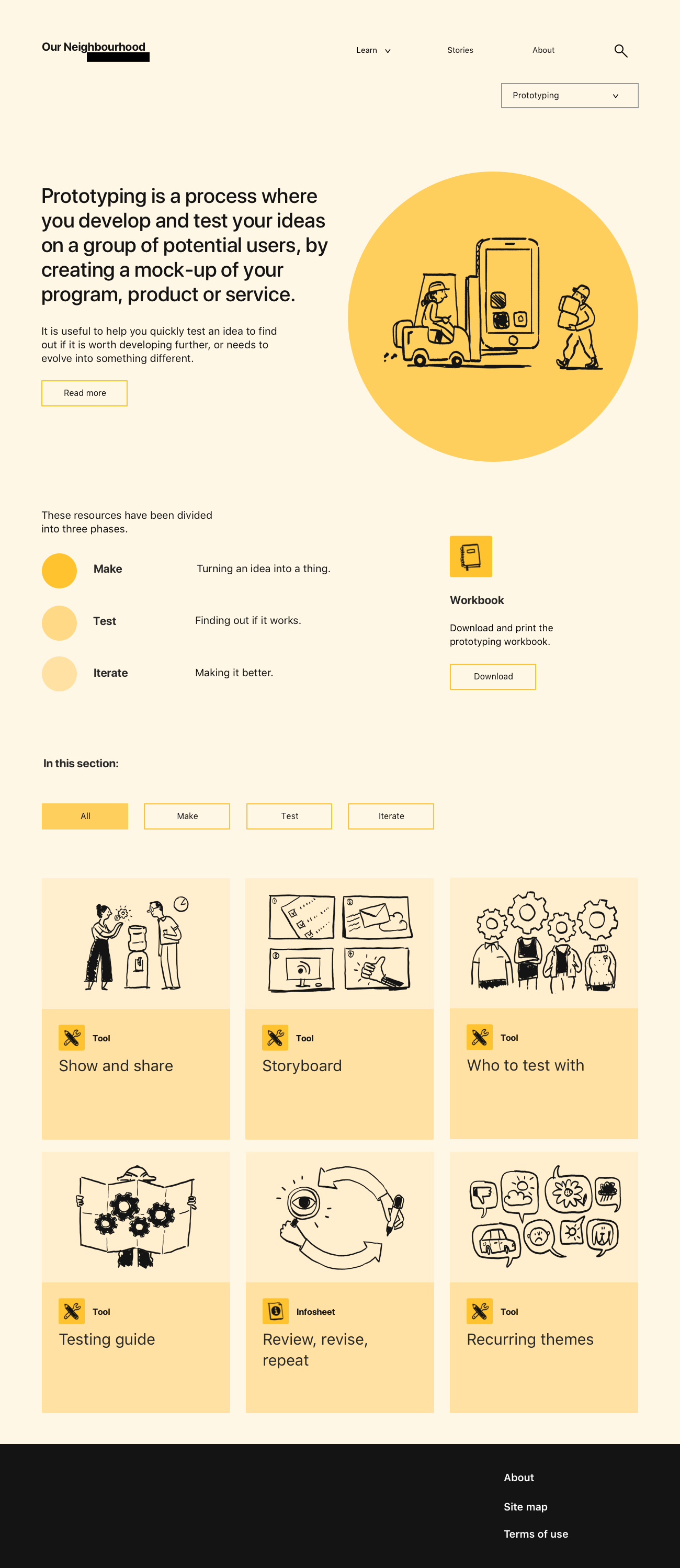
Image showing the Prototype website screen. There are several tools shown as a part of the Prototyping process.
DESIGNING FOR INCLUSIVITY

The resources were designed for inclusivity across web and print. This was achieved by:

⁋

Creating content written in plain-english

▨

Choosing a colour palette inclusive of colour blindness

⬔

High contrast colours for those with vision impairment

✑

Utilising icon sets and illustrations to explain complex ideas

⬚

Minimal colour to save on printing costs

What I learnt

This project broadened my knowledge of designing for accessibilty and inclusion, including WCAG and the Universal Design principles. I developed an understanding that inclusive design is simply good design.

This project—along with many others—re-confirmed how humans are an essential part of services and technology. Self-service is a design trend that reduces or removes real-world interaction. However, often the power of technology is realised when in combination with human interaction.